
Operations
Cockpit
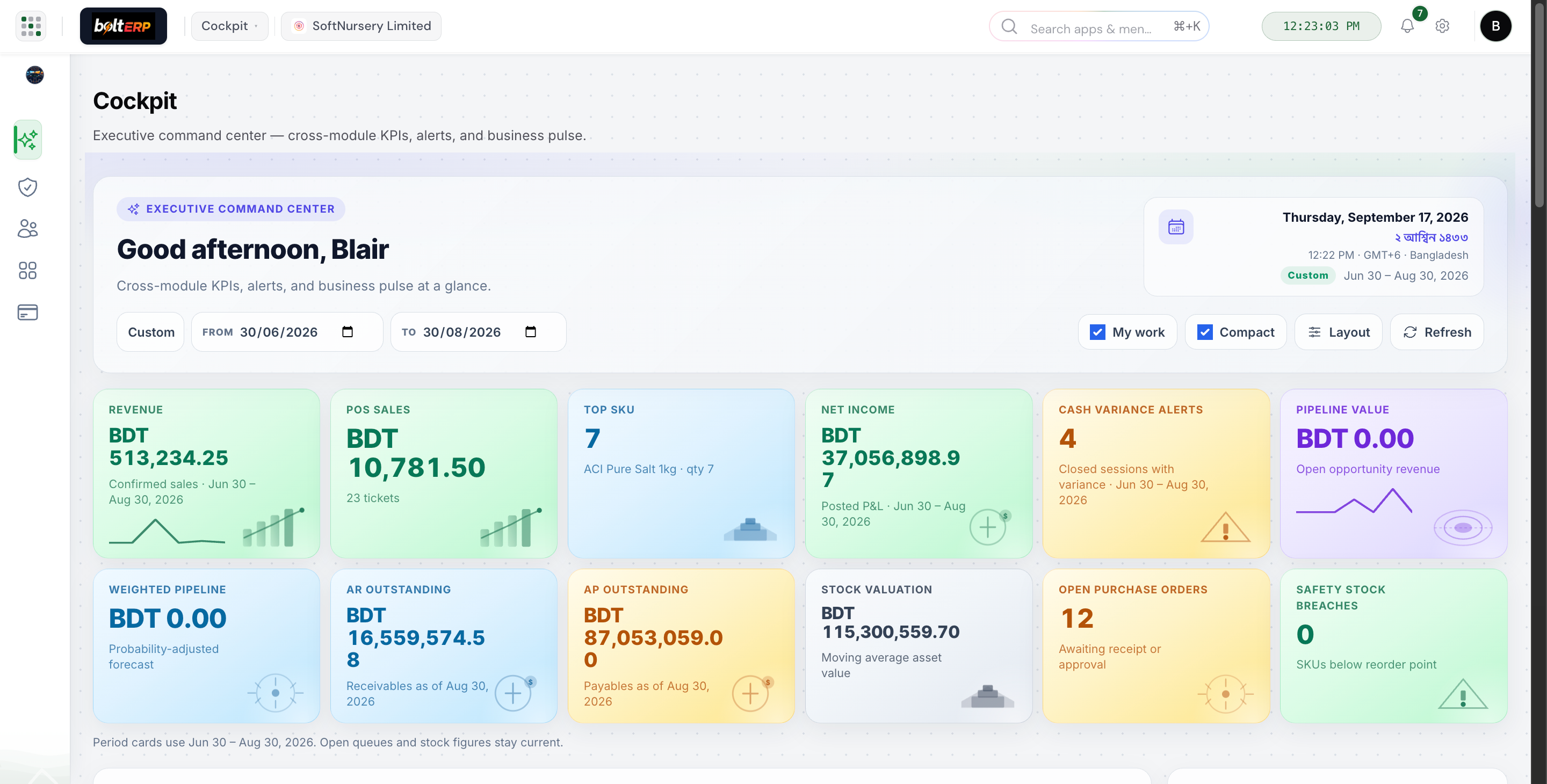
The first screen after login is the business — not user counts.
See sales, stock, cash, and open actions on one screen.
Smart features
Intelligent workflows that save time and prevent mistakes
Live KPI engine
Tiles read posted sales, stock, and cash — not a spreadsheet someone emailed this morning.
Exception ranking
Overdue AR, stock breaches, and stale pipeline float to the top so the standup starts with work, not charts.
Role-aware layout
Owners see cash risk. Sales sees the funnel. Finance sees ageing. Same Cockpit, different priorities.
Queue drill-through
Tap a tile and land on the documents that need a person — not a PDF export.
What it actually does
Capabilities the floor will feel in week one
Command KPIs
MTD sales, pipeline, cash, and stock exceptions in BDT — the numbers leadership actually asks for in a standup.
Action inbox
Overdue follow-ups, drafts waiting, stock breaches. Not a chart pack you export to PowerPoint.
Role-aware tiles
Owners see cash and risk. Sales sees the funnel. Finance sees AR. Same Cockpit, different work.
Vertical extras
Dealer pipeline value or vessel-call alerts sit on the same command center — they do not replace it.
Deep links
Tap a tile and land on the queue that needs a decision, not a dead PDF.
Boardroom-ready
Built to leave on the wall in a meeting. The floor already posted the numbers you are looking at.
The loop
Revenue, AR pressure, stock risk, and the actions that need a person today. Drill into the module. Do the work.